high purity elements, periodic table display samples for research, education and collection - Living science...
   Home | About us | About the Elements | Terms/conditions | References | Guestbook | Contact | Sign in/register | Deutsch

New items (34)

Elements (973)
Lab utilities
Density-standard cubes
Precious jewellery
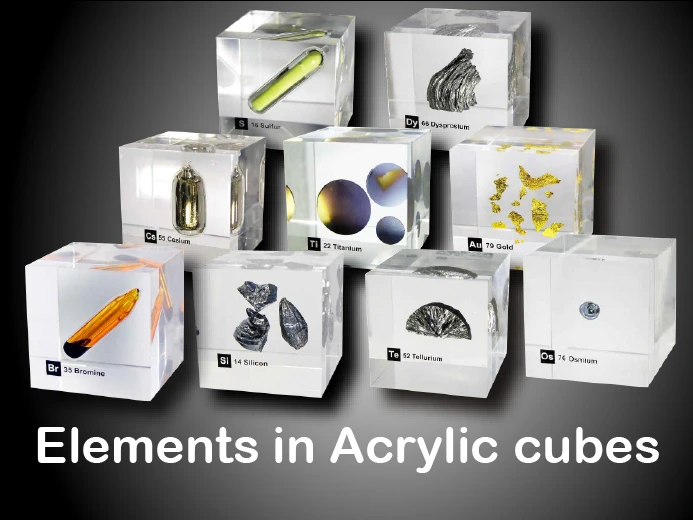
Acrylic element cubes (251)
Power Magnets (15)
Ferrofluid(10)
Compounds (31)
Complete Sets (8)
Sales corner (36)
Experiments (5) New Video!


Follow us

Newsletter

Facebook
Newsfeed
Element Exhibitions


 +++ NEWS +++

Our acrylic element cubes & red dot award: communication design 2011


User-Registration for easier order process, personalized display and future functions like auctions - Register now!

Always up to date with   Feeds -Receive info about new items and news automatically without disturbing emails. MORE INFO>>>


  00929422  


Untitled Document


What is a feed?
 

A "feed" is a summary of Web content that is updated on a regular basis. It allows users to keep informed of a Web site's latest changes. The feed format that smart-elements.com uses is Really Simple Syndication (RSS) 2.0.

Feeds help us make content more accessible, and they allow you to easily see new content. A summary or "headline" view lets you quickly scan recent content changes, and headlines are linked to their appropriate content.

What does the RSS feed on this page contain?

The search results RSS feed contains new item arrivals and other news based on the search criteria that you’ve entered. This feed will be updated based on how often you have set your reader to retrieve data from smart-elements.com and any restrictions the reader may have on how often it retrieves information. Usually, you will get new listing information every 30 minutes.

How to subscribe to this feed

Our RSS-LINK - http://www.smart-elements.com/rssfeed.php?lang=en

Before you subscribe to this feed, you'll need an RSS reader or aggregator to view content in RSS. Several free and commercial RSS readers are available on the Internet. Once you have an RSS reader, right-click on an RSS link, copy the URL, and paste it into your reader to display the content in RSS.

For Windows users we recommend the free "Feed Reader" downloadable under http://www.feedreader.com/download - This reader should be preferred for optimal view of our contents. Even pictures are shown.

Many new browsers like Firefox 1.5, IExplorer 7.0 can read the rss format directly.

We would be pleased, if you can recommend other free rss readers, especially for Linux, Mac OS etc.


smart-elements.com - Last software update from 03.02.2013 - All rights reserved
Idea, Design & Programming © by Juergen Bauer & Maria Lidia Biscayart - All rights reserved